
I am not a developer. The install instructions on the SmartWidget signup page told me exactly which Squarespace menu to open. Took six minutes including signing up.
6-minute non-dev install
Also searched as a Weebly chat widget, chat app, live chat plugin or AI chatbot — same tool, one five-minute install.
This is the working install guide for adding SmartWidget to a UK Weebly site. Everything from signup to first answered visitor, with the exact menu path for Settings > SEO > Footer Code and the verification checklist that confirms the widget is live. From £19/mo.
Weebly does not ship with a built-in AI chat widget — most platforms in 2026 still don't. SmartWidget adds one cleanly with a single line of JavaScript pasted into Settings > SEO > Footer Code. The AI reads your existing Weebly site to learn your services and tone, builds the knowledge base automatically, and goes live the moment the snippet saves. Five minutes end-to-end. £19 a month, no contract, no engineer required.
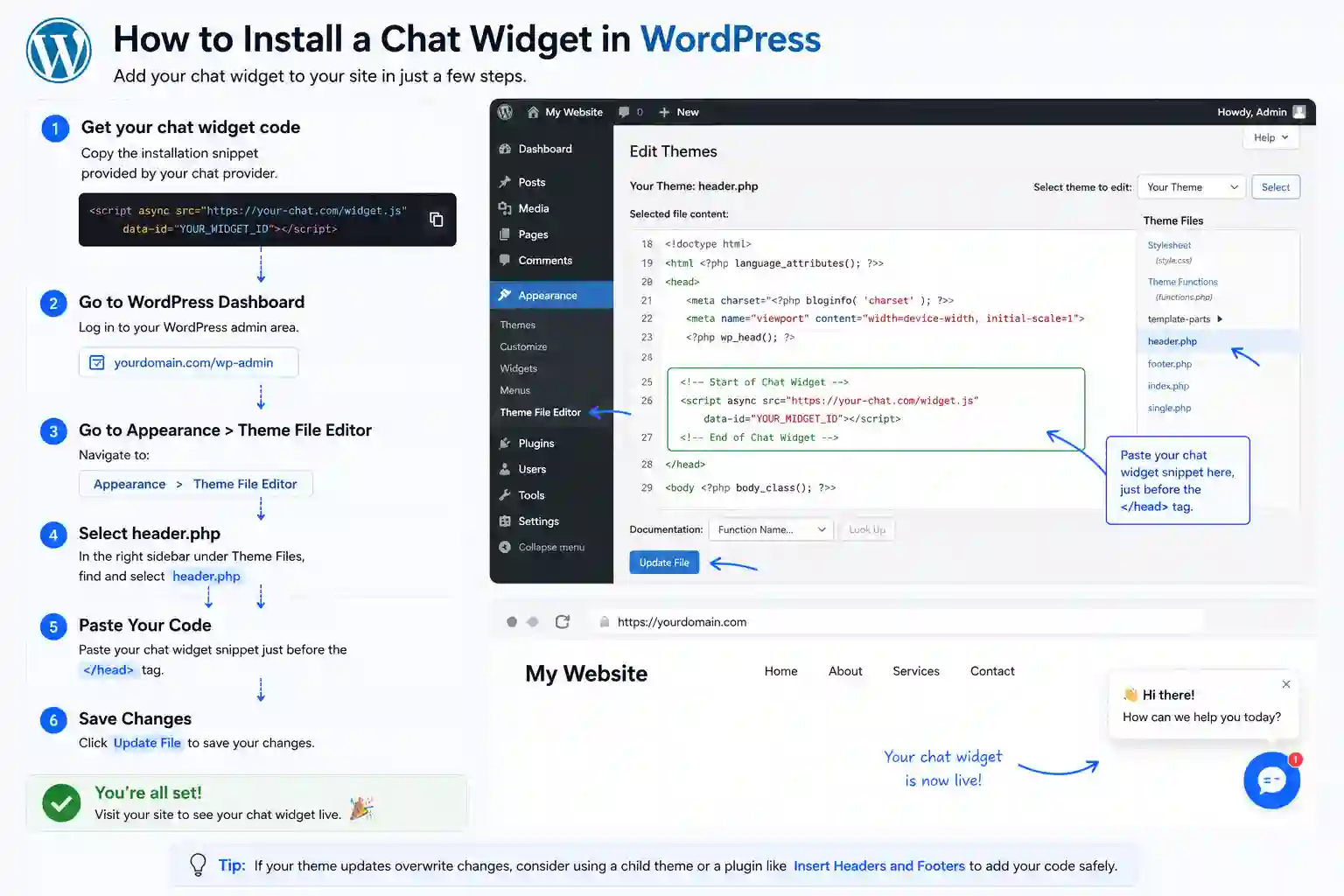
The full install end-to-end. Five steps, about five minutes from signup to the first answered visitor.
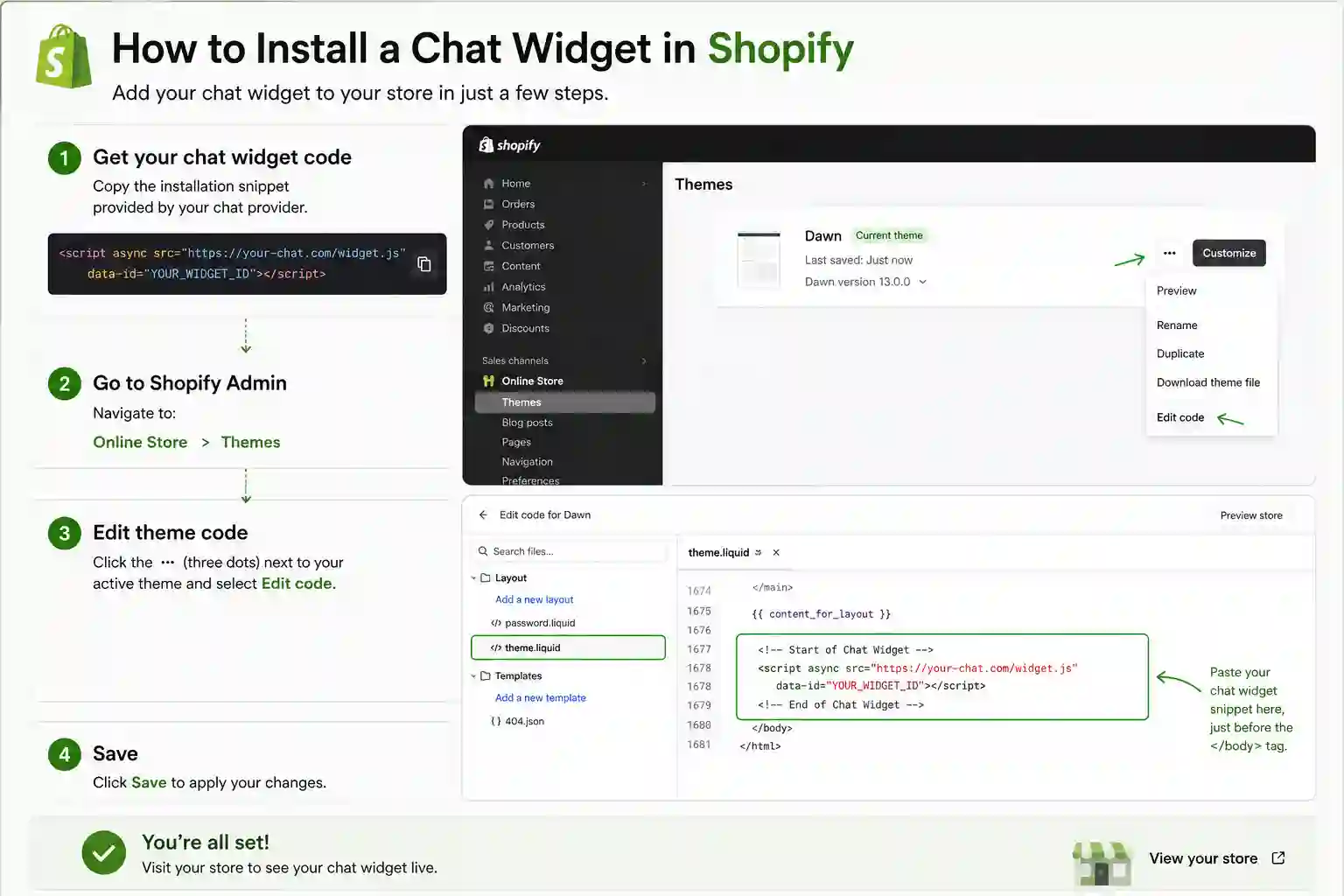
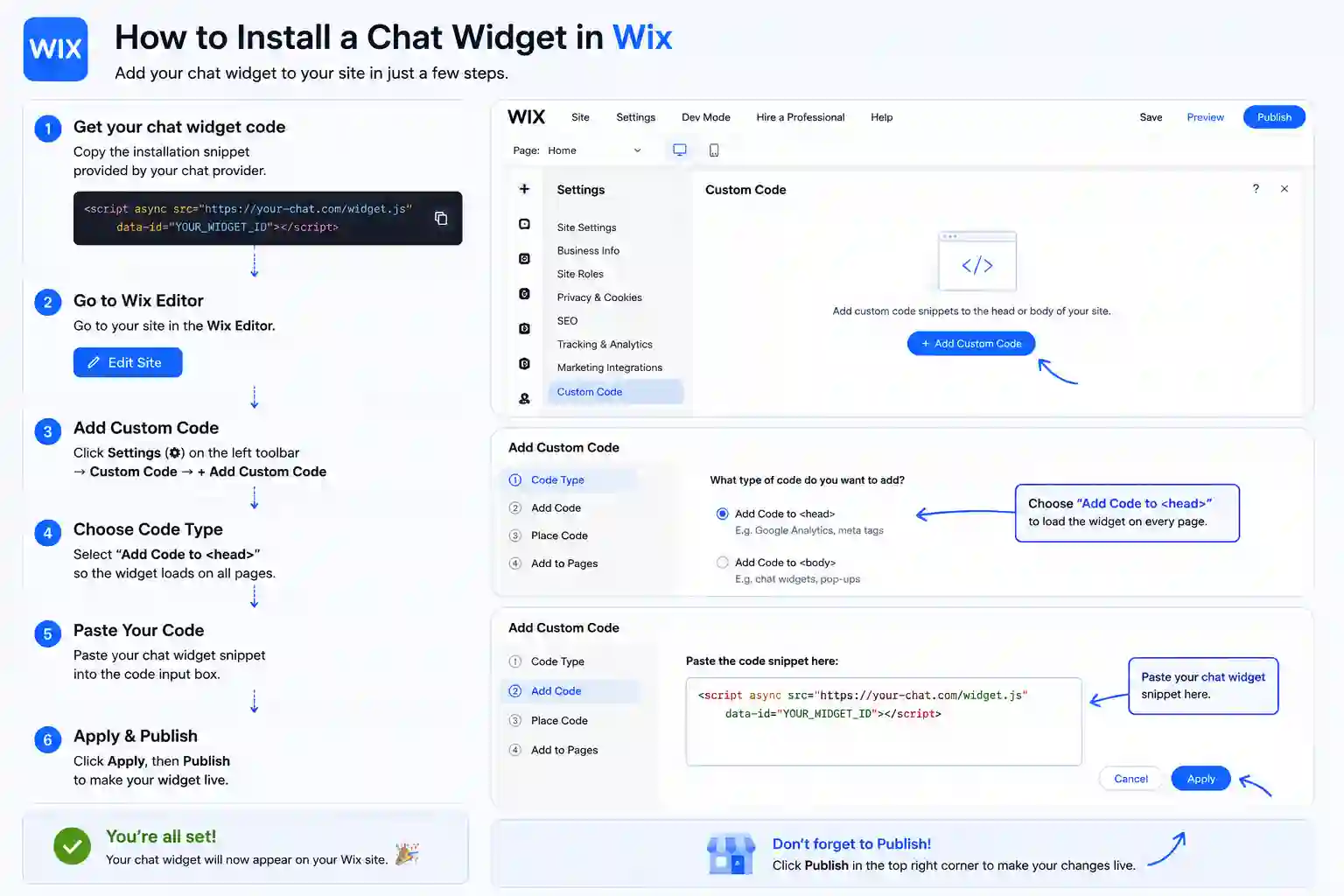
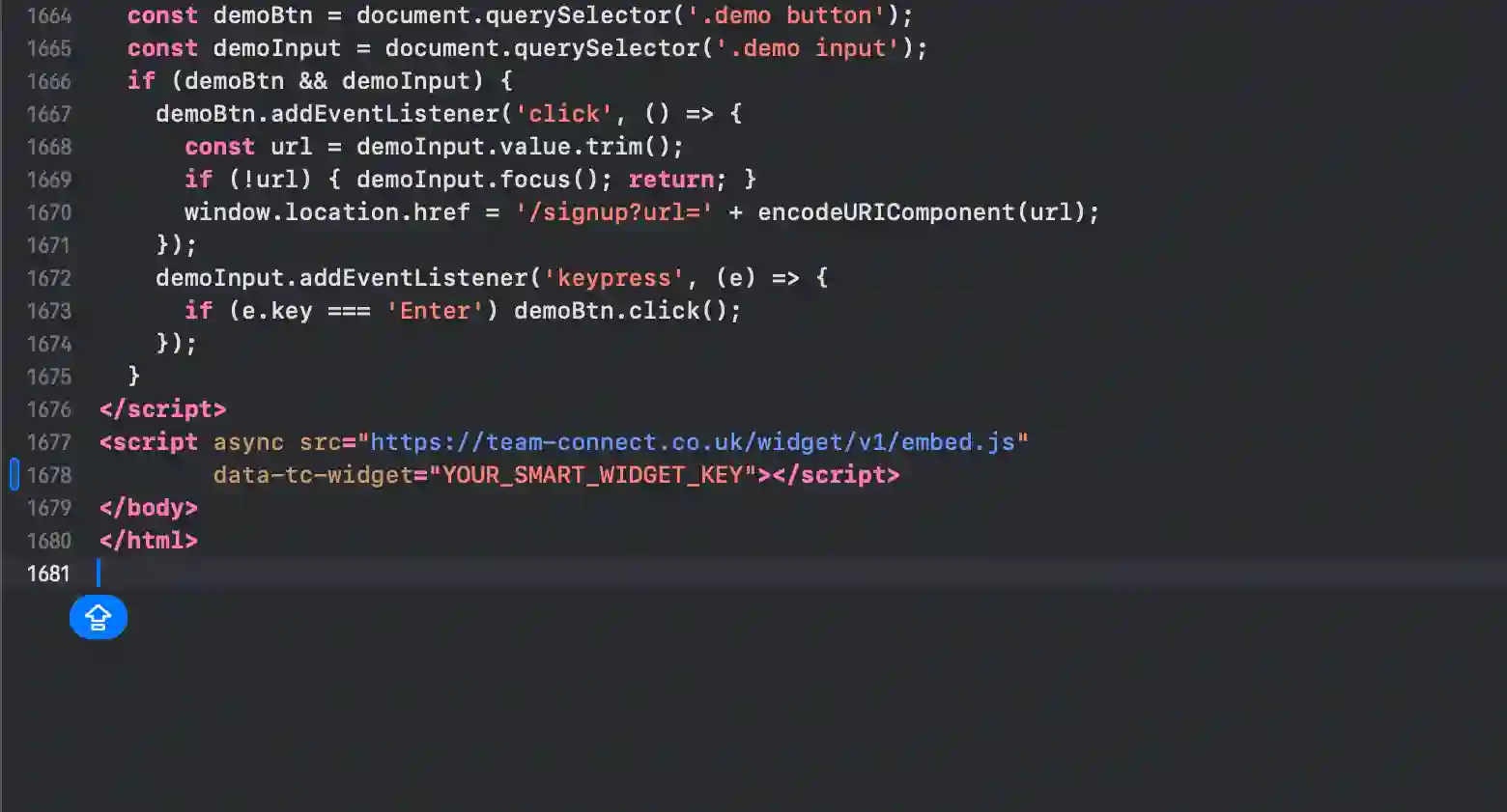
The exact panel and field to paste the snippet on every supported platform. Weebly is highlighted first.
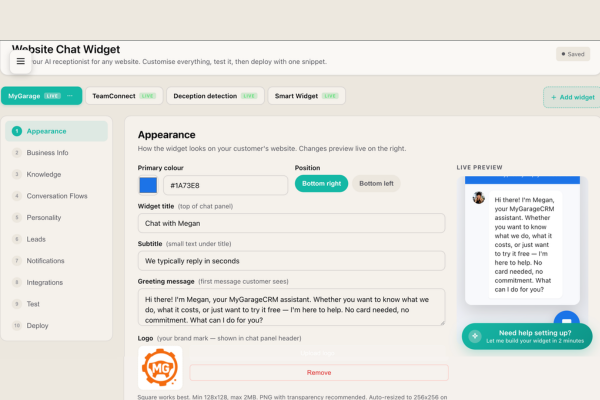
This dashboard is where the AI receptionist on your Weebly site gets its personality. Beyond the knowledge base, the dashboard exposes tone-of-voice controls (formal, conversational, transactional), language settings, escalation triggers, integration with your Weebly calendar and email, and the visible widget appearance (colours, position, welcome message). The same dashboard scales from a single Weebly site to dozens — agencies running multiple client Weebly sites use it daily.
Weebly sites converted around 1 to 2 percent of visitors in the contact-form era. The benchmark in the AI chat widget era is closer to 3 to 5 percent. The difference is captured by the widget — visitors arriving at 9pm, on a phone, with a specific question, who would have left without engaging. SmartWidget reads your Weebly site and goes live in five minutes from Settings > SEO > Footer Code.
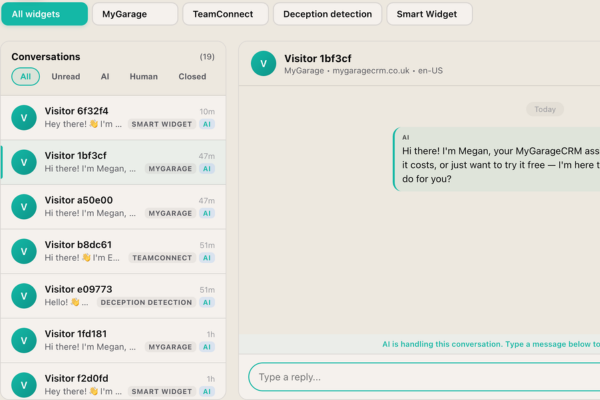
Every visitor your Weebly site receives has a conversation that lands in this inbox. Some are auto-handled by the AI in under eight seconds and you never need to look at them — they appear in the Completed tab. Others are escalated to you in real time, with an SMS ping to your mobile. Others again you choose to take over for relationship reasons. The inbox is the operating console for the widget on your Weebly site, and it scales from one site to many.
A live chat app on Weebly needs a human at the other end. A chatbot answers on its own. SmartWidget is a chatbot in the sense that matters — it reads your Weebly site during signup and answers questions about your services, pricing and availability with nobody watching the inbox — but it is not a decision-tree bot with fixed buttons. It reads the question and answers it.
Most Weebly owners switch because live chat software costs more per month and only works during office hours. The chatbot answers at 11pm on a Sunday and emails you the enquiries that need a person.
The dashboard exposes filtering rules. You can block visitors by IP range, exclude conversation triggers on specific URLs of your Weebly site, restrict the widget to certain pages only, and configure honeypot-style anti-spam rules. The defaults are sensible for most Weebly businesses; the controls are there if you need them.
Conversation transcripts and visitor contact data are retained for 30 days after cancellation, then deleted permanently. Within that 30-day window you can export the full transcript archive and the contact database as CSV from the dashboard. The widget snippet on your Weebly site stops loading immediately on cancellation.
No. The widget loads asynchronously after the page has rendered. The bundle is under 30KB. There is no impact on Largest Contentful Paint, Cumulative Layout Shift, or First Input Delay. Lighthouse audit before and after the install on a Weebly site typically shows zero score change.
Yes. The dashboard supports WhatsApp Business API integration for escalations. When the AI flags a high-intent enquiry on your Weebly site, it can send you a WhatsApp message with the visitor's details and the conversation context. The integration runs on top of the standard email and SMS escalation options.
The install on Weebly takes about five minutes end-to-end. You sign up at smartwidget.co.uk, paste your Weebly site URL so the AI can read it, review the auto-generated answers, copy the JavaScript snippet, paste it into Settings > SEO > Footer Code, and save. The widget is live and answering visitors the moment the page saves.
No. The Weebly install is one line of JavaScript pasted into Settings > SEO > Footer Code. If you can navigate your Weebly admin dashboard, you can complete the install. The walkthrough on the SmartWidget dashboard shows the exact menu path for Weebly with screenshots.
No. SmartWidget loads asynchronously and isolates its CSS inside a Shadow DOM, so it cannot affect your Weebly theme's styling, animations, or layout. It also does not block page rendering. Lighthouse and PageSpeed scores are unaffected.
Yes for any Weebly plan that lets you paste a script tag or custom JavaScript into Settings > SEO > Footer Code. On a small number of Weebly entry-level tiers the custom code feature is restricted; in that case upgrading to the next plan unlocks it. Most Weebly Business or Pro tiers and above support SmartWidget directly.
No. There is no plugin for Weebly. SmartWidget installs via a single line of JavaScript pasted directly into Settings > SEO > Footer Code. Avoiding the plugin route means fewer dependencies, zero conflicts with your other Weebly extensions, and no plugin marketplace approval process.
A single script tag with your unique widget key. Around 200 characters total. You copy it from the SmartWidget dashboard after signup, paste it into Settings > SEO > Footer Code, and save. The script tag loads our widget client asynchronously when a visitor lands on your page.
No. The widget loads asynchronously after the page has rendered, so it does not block any of your Weebly site's critical rendering path. PageSpeed and Lighthouse scores are unaffected. The widget bundle is under 30 KB and lazy-loads its UI when the visitor first interacts with the chat bubble.
SmartWidget is UK GDPR compliant by design. Conversation transcripts are encrypted at rest in UK-based data centres. The widget includes a configurable consent notice that integrates with most Weebly cookie banner solutions, and the dashboard exposes the controls needed for data-subject access and deletion requests.
Yes. The widget appearance is fully customisable from the SmartWidget dashboard — primary colour, accent colour, chat bubble position (bottom-left, bottom-right), avatar, welcome message, and trigger behaviour. The customisation is centralised, so changing it once updates the widget on your Weebly site immediately.
Remove the single line of JavaScript from Settings > SEO > Footer Code and save. The widget disappears immediately. There is nothing else to uninstall from Weebly — no database tables, no orphaned files, no leftover configuration.
4.9 out of 5 from 199 reviews. A selection of install-experience reviews from real UK businesses.
I am not a developer. The install instructions on the SmartWidget signup page told me exactly which Squarespace menu to open. Took six minutes including signing up.
Our WordPress site is mission critical for buyer enquiries. The install was a single line added via the Insert Headers and Footers plugin. Five minutes from signup to live answering visitors. No downtime.
My Tilda site is the third site I have tried installing chat tools on. SmartWidget was the first one that installed without breaking the page animations or the typography. Five minutes start to finish.
We run twelve branch sites across Cheshire. SmartWidget installed identically on every one, each with its own local knowledge base. The agency-tier inbox handles all twelve from a single screen.
My Jimdo site is on the lowest paid tier. SmartWidget installed via the header and footer editor in seven minutes — the documentation showed the exact menu to open. Bookings up significantly within the first month.
Our PrestaShop e-commerce arm runs alongside the main legal site. SmartWidget installed cleanly on both via custom HTML hooks and unified the conversation inbox across two sites without any agency-tier upgrade needed.
SmartWidget installs cleanly on every major platform in this category. Explore install guides for related platforms.
Sign up, paste the snippet, save. From £19 a month, no contract.